Looking just for check-in and badges? Onsite check-in and badge printing from $1,000See check-in pricing

Introducing TAPN™ One · Featuring ACE

The AI Event Team

Hosting an event just became a job for a team of one. You bring the goal. ACE breaks it down, builds the tasks, and even does the work. You approve, deny, or give feedback.

See how it works

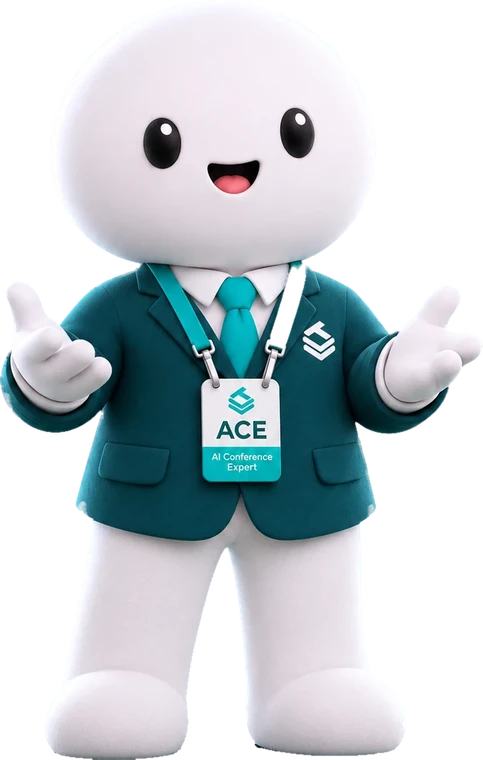
ACE is the AI Conference Expert on your team. ACE plans the event with you, does the work, and asks before anything goes live.

  • 30Kattendees through TAPN eventsCorporate summits, universities, cities and community events.
  • 500in <1 hourattendees checked in at the door"The fastest system I have ever used." Cadence
  • No.1startup at Georgia Tech, then in AtlantaBest On-Campus Startup, Atlanta Startup Awards 2025.

Events that ran on TAPN

As seen in UrbanGeekz and Hypepotamus

  • Cisco Systems badgeCisco Systems
  • Delta Flight Museum badgeDelta Flight Museum
  • Cadence badgeCadence
  • Georgia Tech badgeGeorgia Tech
  • City of Atlanta badgeCity of Atlanta
  • Southern University badgeSouthern University
  • Nexus Louisiana badgeNexus Louisiana
  • Blk Men in Tech badgeBlk Men in Tech
  • Avant South badgeAvant South

What TAPN™ handles

Everything an organizer usually goes looking for, from one team.

  • RegistrationTickets, tiers and approvals, with checkout built in.
  • On-site check-inAttendees look themselves up at the door. No line.
  • BadgesDesigned in Badge Studio, printed as each person arrives.
  • StaffingA TAPN crew onsite on the day, from setup to the last badge.
  • AnalyticsWho came and when, live, with a written report at the end.
  • Event appSchedule, speakers, venue and updates on every phone. Nothing to download.
  • Capacity trackingRoom counts and session caps, so you know what is full.
  • Attendee networkingScan a badge to connect. The contact stays after the event.

A team of one

We are the first AI experiential marketing team. One organizer leads an entire event through AI agents, digital tools, and hardware in the venue.

See what we do
  1. 1IntelligenceACE
  2. 2DigitalAttendee OS
  3. 3PhysicalEntry and Nflux

Use it yourself

Tell ACE what changed.

ACE prototype · sample event

Sample event, scripted replies. The orbit, the chat bar and the decision card are ACE's own interface. The plan, the people and ACE's answers are written for this demo, and nothing you type leaves the page.

tapnwith.me/hub/oakhurst-customer-summit
Schedule updated

Before and after

Six places the work used to change hands.

You probably hold all six. Now one person directs, and ACE carries the work. An event team, not an event app.

JobWhat it tookWith TAPN
01PlanningA run of show, a task list, and a thread chasing both.ACE builds the tasks, maps what depends on what, and works through them. You approve the plan.
02RegistrationTicket tiers, discount codes, and a list that is never quite current.Tiers and codes are set up for your approval. Each registration is yours to approve or deny.
03UpdatesA draft, a post, and the same question answered forty times.Information cards and updates publish to the event hub. Attendees see them on their phone. You approve the wording.
04BadgesA design file, a print order, and a box that arrives the night before.One design per tier in Badge Studio. Entry prints each badge at the door as the person arrives.
05The doorA table, a printed list, and a line.The kiosk pulls your roster and prints on arrival. Walk-ups are added on the spot.
06ReportingA spreadsheet, a week later.Registrations, check-ins, room occupancy, and session ratings, during the event, not after.

We don't stop at planning. We execute.

Use it yourself

Capabilities

What's available today.

Working now in Attendee OS, Entry and Badge Studio. The fun stuff and the boring stuff.

  • ACE

    ACE builds the event.

    Describe the change, approve it, done. Use the guided wizard or chat your way through setup. Every save is a snapshot you can restore in one click.

  • ACE

    Your messy files become the schedule.

    Drop in a schedule, a speaker list or an attendee list in whatever shape it is in. ACE structures it, marks what it guessed, and asks you to approve it.

  • ACE

    Speaker cards make themselves.

    Session names become speaker cards. Upload any photo and it is cropped and framed for you. You approve the set, not each one.

  • Registration

    Registration opens. You approve who gets in.

    Open it to everyone or review each application first. Ticket tiers and promo codes when you need them. Bring the list you already have and attendees claim their accounts in one step.

  • Hub

    Attendees see everything on their phone.

    Schedule, speakers, venue and guests on their phone, always in the venue's time zone. A personal agenda in a tap.

  • The door

    They look themselves up. The badge prints.

    Self check-in by name or confirmation, walk-ups added on the spot, 4×6 smart badges at 300+ DPI on the printer you already have. If the Wi-Fi drops, check-in keeps going and syncs when it returns.

  • ACE

    They ask the hub anything. It answers.

    Attendees ask about your event and get an answer at any hour. Where is the keynote, when is lunch, who is speaking at three.

  • ACE

    Keynote runs long? Push everything back five minutes.

    Tell ACE the change in plain words. It moves the sessions, keeps the rooms straight, and everyone who planned one sees it marked Updated in the hub. You approve before anything moves.

  • Sentiment

    They rate what landed. You see it live.

    Attendees rate any session from their phone. Ratings reach you without names, during the event, so you see which sessions people loved and which themes need a response while there is still time.

  • Hub

    They connect, and keep the connection.

    Every attendee has a profile. Scan a badge to connect, and the contact is still there after the event. Guest list visible or hidden, your rules.

  • Analytics

    You know who came, and when.

    Check-in stats by day with walk-ups detected automatically. A sessions board that shows who was in each one. Every list is one export away.

  • Analytics

    One click. The report writes itself.

    A written report from all your event data, ready to export as a PDF. Registrations, check-ins, session attendance and ratings, written up, not just charted.

    Read a sample report

Also Invite editors, you stay the owner · Venue search fills in map, locations and time zone · Session capacity and live counts · Schedule export to CSV, PDF or your own site · Your organization's home page with subscribers · Badge Studio, drag and drop, one design per tier · Staff controls and PIN-locked admin on the kiosk · Live roster sync to the door · Clean roster tools that never break an account

Results

Results from the room.

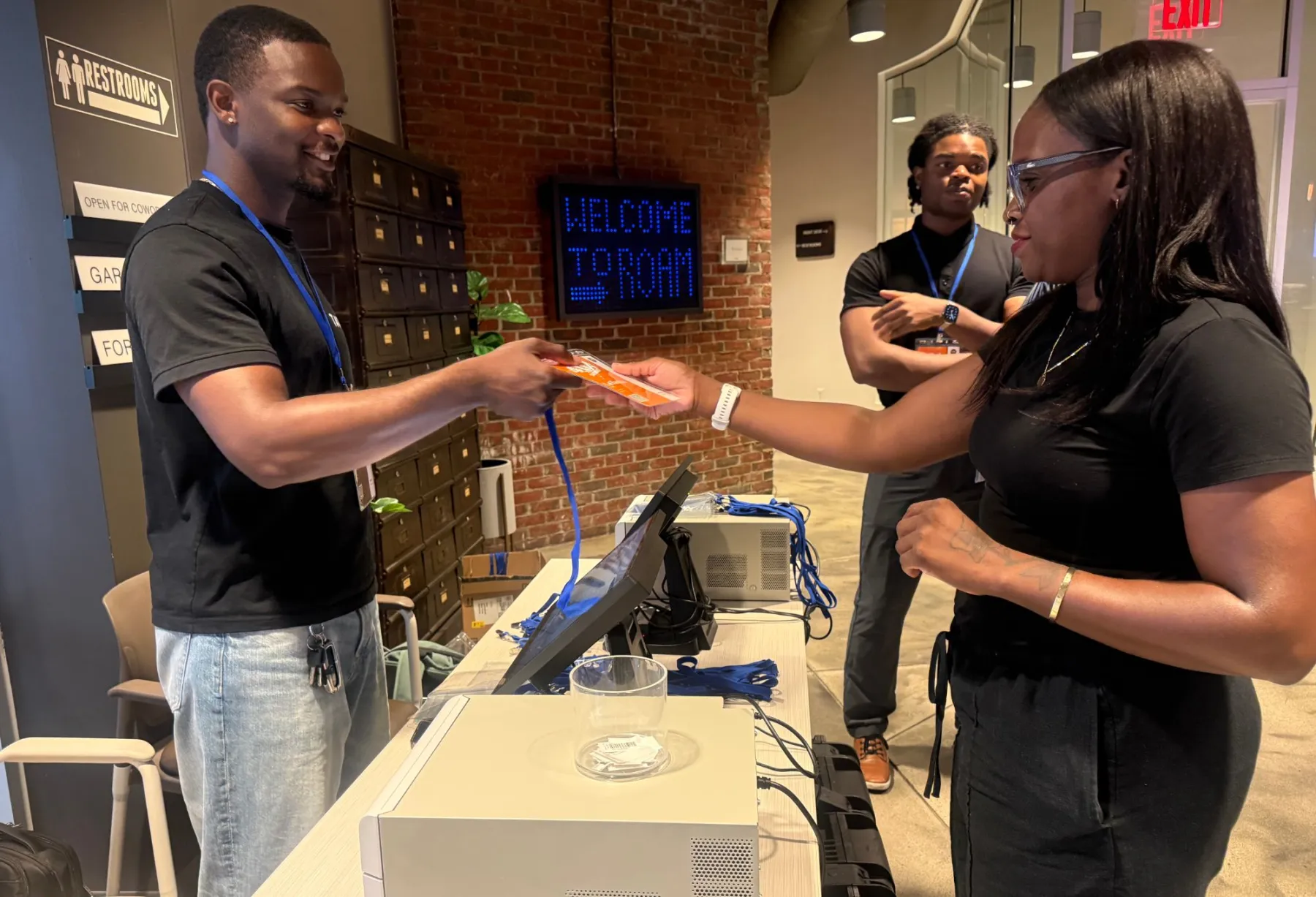
A TAPN crew member hands a freshly printed badge to an attendee at the check-in table
Badge in hand, seconds after check-in. Roam, Atlanta.

Corporate event · Cisco Systems · Raleigh, North Carolina

Hundreds checked in. Nearly 200 reviews. One day.

100sChecked in
~200Reviews in one day
5★Client review

Cisco needed two things from one day: a clean arrival for hundreds of people, and proof of the event's value for leadership. Entry handled the door, so the first thing anyone did was walk in.

Then the day kept reporting. Attendees rated sessions from their phones, and by the end about 200 reviews were in: what people liked, what they didn't, and what to change next time. Organizers left with direct feedback and an attendance report ready for leadership, not a guess.

Cisco gave TAPN a five-star review for the fast, clean experience and for the quality of the data they could take to leadership.

A great event shouldn't just feel successful. You should be able to prove it.

Sales conference · Cadence · Detroit, Michigan

300 attendees. Under 60 minutes. Reports while the room was still full.

300Checked in
<60Minutes at the door
LiveReports during the event

Cadence brought its sales conference to Detroit with one brief: get 300 people through the door fast, and know what is happening while it is happening. Entry checked in all 300 in under an hour.

Speed was only the start. Attendee OS reported live, so the team could see who was actually in the room during the event, not in a spreadsheet the next morning. The door became the first data point, not the last.

"The fastest system I have ever used," the Cadence lead said, and recommended TAPN to any organization looking for a better way to run an event.

No waiting until tomorrow to understand today.

Questions

Questions organizers ask.

Something else? Ask a person at TAPN. Contact sales

What if ACE makes a mistake on site?

Nothing that needs your judgment happens without you. ACE works inside the boundaries you set, and anything outside them comes to you as a decision with the context to make it. On the day, ACE brings you exceptions: a walk-up who is not on the list, a room filling faster than planned, a theme in the ratings that needs a response. You approve, deny, or give feedback, and the work moves on. When ACE is unsure, it stops and asks.

Does TAPN replace my team?

No. TAPN gives one organizer the reach of a team. A team of one means one person can direct the work while TAPN coordinates the digital execution, onsite systems, and people needed to deliver the experience. If you have people, they are part of that plan and they stay in the loop onsite. If you are the team, you direct the work instead of carrying all of it.

What does ACE do without asking me?

The work inside your boundaries. Building the task list, mapping dependencies, reading your agenda into a draft schedule, creating speaker cards from session names, staging a list you provide, and keeping the hub current through Attendee OS. Anything that changes what attendees see, who is approved, or how your brand appears comes to you as a decision first. Every task carries a status you can read.

What do I bring to start?

A goal and a date. Then whatever you already have: an agenda as a PDF or a photo, a spreadsheet of attendees, your logo and brand color. ACE reads what you give it and marks what it guessed for your review. Nothing saves until you say so.

What hardware is in the venue?

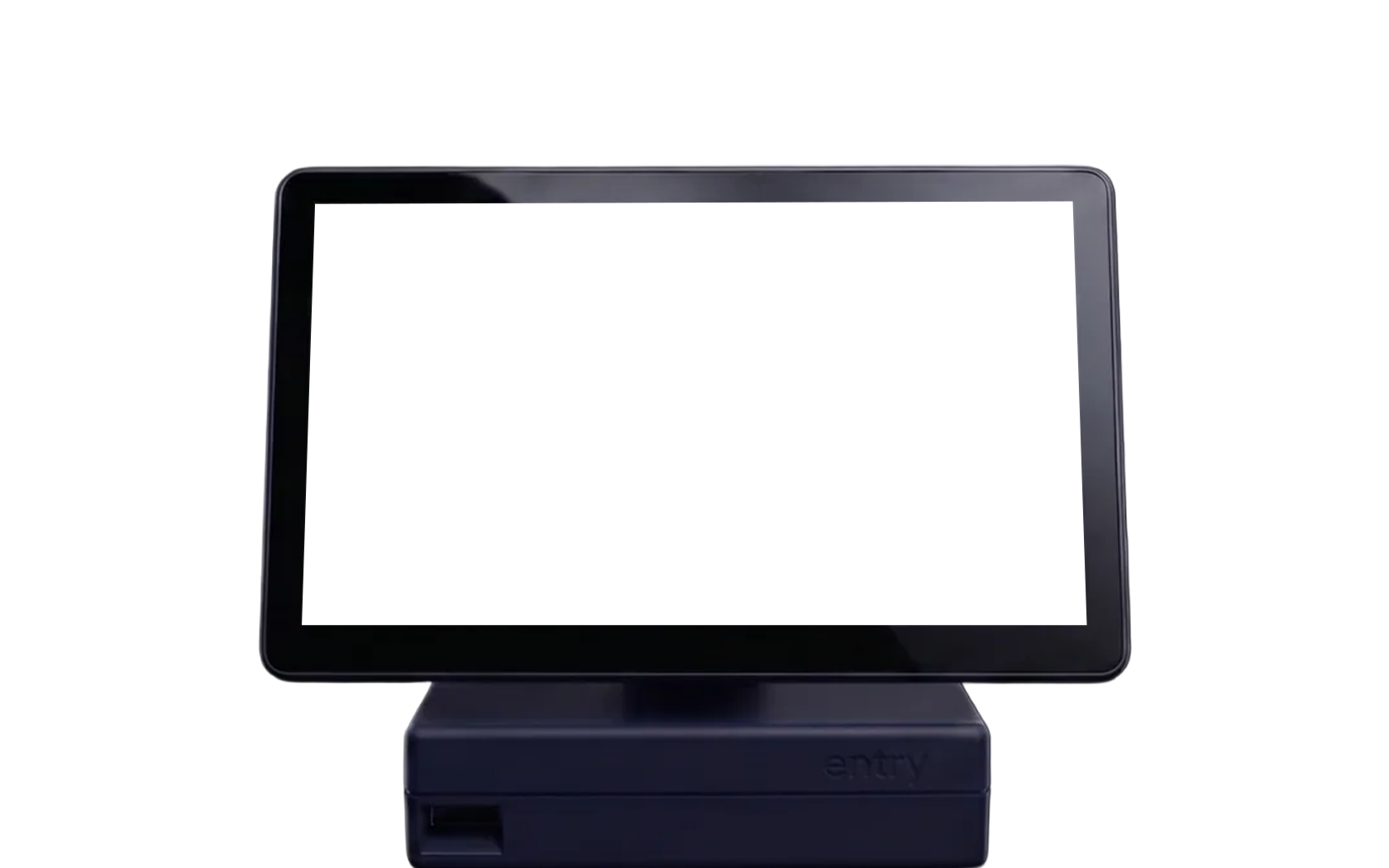
Entry is the kiosk at the door. It pulls your roster, looks each person up, prints their badge on arrival, and adds walk-ups on the spot. It runs offline and syncs check-ins when it has a connection. Nflux is a set of counters at the room door. They report each crossing, so Attendee OS can show how full a room is and when it peaked. The counts are estimates and are labeled that way.

Can I run an event without the hardware?

Yes. Registration, approvals, the event hub, the schedule, speakers, badge design, connections, session ratings, and reporting run through Attendee OS, on your attendees' phones. Check-in at the door, badge printing on arrival, and room occupancy need Entry and Nflux. Without them, TAPN plans and operates the event but hears less from the room on the day.

How do I begin?

Contact sales. Tell us the event, the date, and the goal. A person from TAPN replies by email, walks you through what ACE will build and what Entry and Nflux need onsite, and sets the event up with you.

Contact sales

andrew@tapnwith.me

Atlanta

TAPN™
Midtown Atlanta, Georgia

What happens next

Tell us about the event. A person from TAPN replies by email, walks you through what ACE will build and what Entry and Nflux need onsite, and sets the event up with you.

We reply here.

A range is fine.

A sentence or two is enough.

We use this to reply to you and nothing else.

Try ACE